Summary
A website redesign for a mid-market or enterprise organization is a coordinated process that brings together business strategy, brand, customer needs, content, UX, design, technology, data, and the teams that will eventually operate the website.
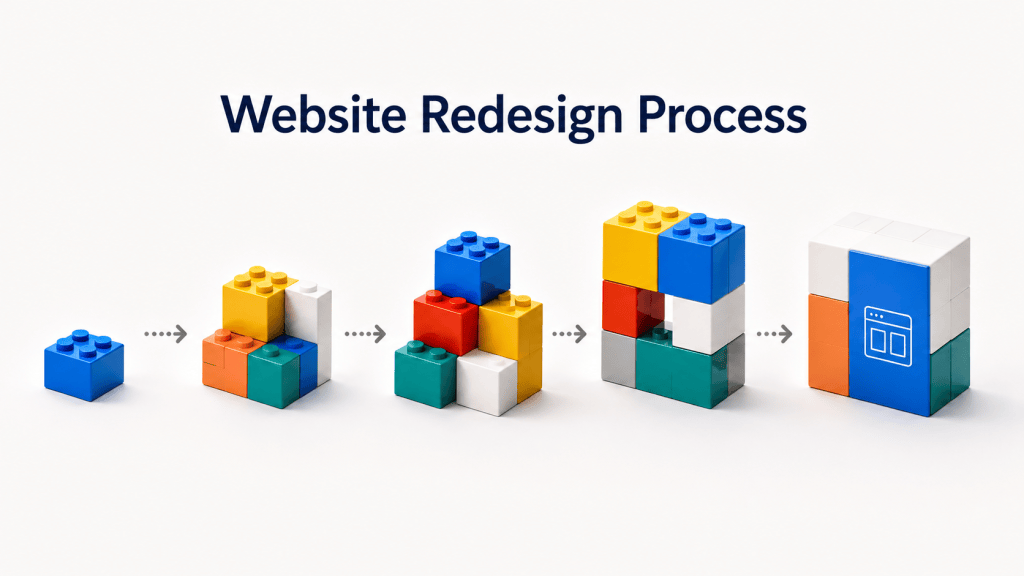
The process below is built on established digital design and delivery practices and organized around five familiar stages: Discover, Define, Design, Develop, and Deploy, with an Initiation stage before the work begins. The terminology is familiar across the industry, but what happens inside those stages can vary considerably. In our process, Discover builds the evidence base, Define establishes the future-state website strategy, Design turns that strategy into an experience, Develop includes the full technical build, and Deploy takes the new website into market and ongoing operation.
This approach has been shaped through enterprise website and digital transformation work across automotive, healthcare, financial services, CPG, commerce, consumer health, technology, and B2B organizations, including work for Mazda Canada, The Ottawa Hospital, TD Bank, Dairy Farmers of Canada, Jamieson Vitamins, and Jabil. The priorities change from one category to another, but the process remains broadly applicable whether an organization is rebuilding an entire website or transforming a major part of an existing digital experience.
The website redesign process at a glance
| Stage | What happens | What you should have at the end |
|---|---|---|
| 0. Initiation | Set up the program, people, process, and ways of working | Scope, team, governance, RACI, timeline, and communications plan |
| 1. Discover | Understand the business, brand, customers, current website, content, data, category, and technology | Research findings, customer needs, current-state analysis, and opportunities |
| 2. Define | Establish what the future website needs to become | Experience vision, website strategy, IA direction, content strategy, and technology direction |
| 3. Design | Turn the strategy into the actual experience | UX, sitemap, flows, wireframes, visual design, and design system |
| 4. Develop | Build and integrate the website | Working platform, front-end and back-end development, integrations, analytics, and migrated content |
| 5. Deploy | Validate, launch, train, and transition | Live website, trained teams, measurement, and operational ownership |
The stages create a clear progression, but the work does not move through them as a series of isolated handoffs. Content can begin in discovery and continue through strategy, design, production, and migration. Technology enters the conversation well before development begins. Measurement starts with business and digital goals and eventually becomes analytics implementation and reporting. Governance begins during Initiation and continues after launch.
AI is increasingly becoming another layer across this process. It can accelerate research synthesis, content analysis, requirements documentation, prototyping, development, localization, QA, and ongoing website operations. Its value is greatest when it sits inside a clear process with defined inputs, standards, ownership, and human review.
0. Initiation
For a complex website redesign, the work starts before formal discovery. The organization first needs to establish how the program itself will operate.
Initiation brings together the client team, agency or experience partner, technology teams, and the other stakeholders who will participate in the redesign. This is where the scope is confirmed, key contacts are established, roles and responsibilities are agreed, and everyone develops a common understanding of the major milestones and dependencies.
On an enterprise redesign, the group can include people from marketing, digital, brand, content, ecommerce, communications, product, technology, analytics, legal, regional teams, and executive leadership. Some will work on the project every week. Others may be needed for a particular decision, review, or approval. Defining those roles at the beginning makes it easier to bring the right people into the process at the right time.
The ways of working need the same attention. Teams should agree on where documentation will live, what tools will be used, how meetings and workshops will run, how feedback will be gathered, which communication channels will be used, and how decisions and approvals will be recorded. A large website program can generate a significant amount of information over several months, so the operating structure becomes part of what keeps the work connected.
A RACI (Responsible, Accountable, Consulted, and Informed) matrix makes responsibilities explicit. A project roadmap gives teams visibility into the sequence of work and its dependencies. A communications plan establishes how information moves across a program that may involve internal teams, multiple agencies, developers, vendors, and executive stakeholders.
These are also DesignOps considerations. People, tools, workflows, approval structures, and shared systems all influence how effectively multidisciplinary teams can work together. AI can support this operating model by helping organize meeting outputs, decisions, requirements, project knowledge, and documentation, but the underlying responsibilities and decision rights still need to be clear.
What you should have at the end of this stage
A defined project scope, team structure, roles and responsibilities, RACI, project roadmap, major milestones, communication plan, tools, approval process, and agreed ways of working.
1. Discover
Discovery creates a shared understanding of the business, brand, customers, current website, and the environment in which the new experience will operate.
The work usually begins with what the organization already knows. Business strategy, brand work, customer research, previous website studies, analytics, marketing plans, technology documentation, product information, and existing content can all provide useful context. Stakeholder interviews add perspectives from different parts of the organization and often surface needs, dependencies, and opportunities that are not visible through the website alone.
Customer understanding is another major part of discovery. The team should identify the audiences and personas the website needs to serve and understand the journeys behind them. For a hospital, that can mean understanding the patient journey and the information and decisions that appear before, during, and after care. For a B2B company, it may involve a longer buying journey with several participants. For a commerce brand, the journey may move through discovery, education, product selection, comparison, purchase, use, and repeat purchase.
Analytics provides an evidence layer alongside that research. Website and search data can show how people currently enter and move through the site, which content and experiences attract meaningful traffic, where conversion happens, and where important journeys become weaker. Depending on the organization, CRM, ecommerce, customer-service, internal-search, and existing research data can add another view.
The team should also look outward. Competitors and best-in-class experiences help show how other organizations are addressing similar customer needs and supporting similar journeys. The useful output is a set of learnings about navigation, product discovery, content, interactions, trust, conversion, and other experience patterns that can help shape the future direction.
The current website can then be assessed through everything that has been learned. Brand expression, navigation, content, UX, search, accessibility, functionality, technology, and overall consistency can all be examined in relation to the customer needs, business goals, and market context established during discovery.
Technology discovery runs alongside this work. Interviews with technology stakeholders and reviews of the current stack help the team understand the CMS or commerce platform, hosting, integrations, security requirements, enterprise standards, and technical constraints that will influence the future solution.
Content also deserves its own discovery workstream on larger websites. That can include an inventory of the current content estate, audience content needs, SEO and keyword research, publishing processes, governance, localization requirements, and an assessment of how content is created and managed today.
AI can accelerate parts of this work where the volume of information becomes difficult to process manually. Large content inventories can be classified and summarized. Interview transcripts and qualitative research can be grouped into themes. Competitive examples can be organized around common patterns. Large sets of project documentation can be searched and synthesized more quickly. The team still needs to interpret those findings in the context of the business, brand, customers, and goals of the redesign.
What you should have at the end of this stage
A shared set of research findings, defined audience and stakeholder needs, customer journeys, analytics findings, competitive and best-in-class learnings, a current website assessment, content findings, technology findings, and a clear view of the problems and opportunities the redesign needs to address.
2. Define
Define is where the findings from discovery become the strategy for the future website.
In our version of the five-stage process, this stage establishes what the future experience needs to become. The team now has a view of the business, brand, customers, category, current website, content, and technology. Define brings those inputs together and turns them into direction for the work that follows.
The experience vision sits at the centre of this stage. It should be rooted in the brand and describe how the organization intends to bring that brand to life digitally while meeting customer needs and supporting business goals. Experience principles make that vision more practical by giving teams a smaller set of ideas they can use when evaluating content, UX, design, and technology decisions.
The role of the website should also be mapped against the customer journey. If the journey moves through discovery, learning, evaluation, purchase, use, and return, the team needs to decide what the website should contribute at each stage. A B2B website may play a particularly important role during education and evaluation before the relationship moves into sales. A commerce website may support most of the journey. A healthcare website may need to provide different types of information and support throughout a patient’s relationship with the organization.
Information architecture begins to take shape during Define. High-level sitemap, navigation, and taxonomy decisions establish how products, services, audiences, resources, tools, and other parts of the experience should relate to one another.
Content strategy develops alongside it. The team defines the future content ecosystem, including what information different audiences need, what role different content types should play, how content supports the customer journey, and how taxonomy, tagging, search, SEO, language, governance, and migration should work together.
Once that future state is clear, the existing content can be assessed against it. Content can be kept, killed, combined, improved, or newly created based on whether it has a role in the redesigned experience. We cover that work in more detail in our website content audit guide.
Technology becomes more specific during Define as well. Discovery findings are translated into recommendations around the CMS or commerce platform, hosting, integrations, architecture, security, and the broader marketing and technology stack. Functional requirements begin to develop alongside the content and UX requirements.
Measurement needs definition at this stage too. Business and digital goals should translate into KPIs and a measurement framework that will eventually guide analytics implementation and post-launch optimization.
AI can support this work by helping teams explore alternative information architectures, identify gaps between current and future content, organize requirements, and develop early scenarios. The experience vision and strategic principles provide the context needed to evaluate those outputs rather than treating generation itself as the goal.
What you should have at the end of this stage
A future-state experience vision, experience principles, definition of the website’s role across the customer journey, high-level information architecture, content strategy, content audit direction, technology recommendation, functional requirements, and measurement framework.
3. Design
Design turns the strategy into an experience that people can see, navigate, interact with, and eventually use.
The UX work develops the detailed structure of the website. The information architecture becomes a full sitemap. Priority journeys become user flows and scenarios. The team defines the page and template system, maps the components required across those templates, develops the navigation model, and creates wireframes for the important desktop and mobile experiences.
For a large website, the sitemap can become a substantial working document in its own right. It needs to account for the content types, tools, services, products, audiences, and pathways identified during strategy. Template mapping then turns that structure into a page system that UX, content, design, and development teams can all use.
User testing can happen during this stage to validate important journeys, navigation models, interactions, and experience decisions while those decisions can still be refined.
Visual and interface design then brings the brand into the experience. The work may begin by establishing how the existing brand translates into digital and exploring visual territories that give the team a shared direction. Key pages and interactions are then designed, responsive behaviour is established, and motion or animation requirements are defined where they contribute to the experience.
Brand-centred design matters here because two websites can have similar information architecture and still create very different experiences. Typography, imagery, editorial rhythm, interaction, motion, density, hierarchy, and the treatment of products or content can all become part of how the brand is experienced rather than simply how the interface is styled.
The design system is another important output. It provides the components, states, behaviours, interaction patterns, and guidance needed to create consistency across a large website. The Figma library can become the shared source for page types, components, and functional behaviour that development teams eventually implement.
Content remains active throughout Design. Headlines, product information, calls to action, supporting copy, technical information, proof, and other content need to work inside the actual experience. Multilingual organizations also need to ensure that English, French, or other language requirements are reflected in the layouts and component system rather than being introduced after design is complete.
AI-enabled DesignOps can support this stage in several ways. Teams can use AI to explore variations, create realistic prototype content, organize feedback, document components, identify inconsistencies, and accelerate repetitive production work. The design system, brand standards, and approval processes give these workflows useful boundaries.
Accessibility should also be designed into the experience from the beginning. WCAG provides an international technical standard for accessible web content, and W3C recommends evaluating accessibility early and throughout website development or redesign because issues are easier to address when they are identified earlier. W3C currently encourages organizations to use the latest WCAG 2.2 standard where appropriate. [2]
The legal requirements depend on the organization and jurisdiction. In Ontario, AODA requires designated public-sector organizations and businesses or nonprofits with 50 or more employees to make applicable public websites and web content conform to WCAG 2.0 Level AA, subject to specified exceptions. [3]
In the United States, the ADA also applies to web accessibility, although the requirements differ depending on the organization. The U.S. Department of Justice has long taken the position that Title III accessibility obligations apply to the goods and services that businesses open to the public provide online, while there is no single federally prescribed technical web standard for those businesses. [4] State and local governments are subject to the newer ADA Title II web and mobile accessibility rule, which uses WCAG 2.1 Level AA as its technical standard. Following a 2026 extension, larger public entities are required to comply by April 26, 2027, while smaller public entities and special district governments have until April 26, 2028. [5]
For enterprise teams, the practical implication is straightforward. Accessibility requirements should be established early enough to influence UX, design, content, components, development, testing, and ongoing governance.
What you should have at the end of this stage
A complete sitemap, priority user flows and scenarios, template and component map, navigation model, approved desktop and mobile UX, visual designs, prototypes where required, digital brand guidance, design-system documentation, accessibility requirements, functional specifications, and a development-ready Figma library.
4. Develop
Develop is the full technical build of the website.
The stage typically begins by setting up the CMS or commerce platform and the environments required for development, testing, staging, and production. Business and functional requirements are finalized, assumptions are validated, and the work is translated into user stories and a prioritized backlog that can be delivered through development sprints.
Front-end development turns the approved design system, templates, components, responsive behaviours, and interactions into working interfaces. Back-end development creates the services, logic, data connections, and platform functionality that support the experience.
The specific technology depends on the organization. A commerce website may involve the commerce platform, PIM, merchandising, search, reviews, subscriptions, loyalty, customer accounts, payments, CRM, and analytics. A B2B website may rely more heavily on CMS, CRM, marketing automation, lead routing, product data, gated resources, personalization, or sales integrations. Larger enterprise environments may also include custom APIs, identity systems, shared data platforms, and other internal services.
Design and development continue to work together during the build. Components sometimes reveal new states and behaviours once they become functional. Real content can expose situations that were difficult to see in wireframes. Responsive behaviour, motion, accessibility, and performance all benefit from being reviewed throughout development.
Content production and migration become major workstreams as well. Approved content needs to be entered or migrated into the new CMS, URLs need to follow the structure established earlier, and the content estate needs to map cleanly into the future experience. Large sites may use a combination of automated migration, AI-assisted transformation, and manual review depending on the complexity and risk of the content.
SEO migration needs to be integrated into this work. When URLs change, old URLs should be mapped to the most appropriate new destinations and permanent redirects should be planned and tested. Google recommends preparing a URL mapping, thoroughly testing the new site, configuring redirects from old URLs to new ones, and monitoring the move after launch. [6]
The measurement framework developed earlier also becomes a technical implementation during Develop. That can include GA4 and Google Tag Manager, ecommerce measurement, CRM attribution, important events and conversions, consent management, dashboards, and other tracking required to understand whether the redesigned experience is delivering against its goals.
Accessibility continues through development. Semantic structure, keyboard behaviour, focus states, forms, labels, component behaviour, assistive-technology support, and other requirements need to be implemented and tested in the working experience. Automated tools can help identify problems, but W3C notes that no tool alone can determine whether a website meets accessibility standards and that knowledgeable human evaluation is also required. [2]
Security, penetration testing, performance tuning, browser and device testing, and technical QA are also part of the build. The exact requirements depend on the organization, particularly in regulated, healthcare, financial-services, and public-sector environments.
AI can contribute directly to development through coding assistance, documentation, test-case generation, component QA, content migration, accessibility checks, and technical troubleshooting. As with design, these workflows are most useful when they operate within an established architecture, development standards, component system, security model, and review process.
What you should have at the end of this stage
A technically functioning website with the CMS or commerce platform configured, front-end and back-end development complete, templates and components implemented, required integrations working, content migrated, analytics configured, accessibility implemented, security and performance requirements addressed, and the website ready for final validation and deployment.
5. Deploy
Deploy takes the finished website from a working environment into the hands of customers and the teams that will operate it.
The stage includes final quality assurance across functionality, content, browsers, devices, accessibility, analytics, SEO, and performance. Business stakeholders may participate in user acceptance testing so the organization can validate that the experience meets the approved requirements before launch.
The deployment plan establishes how the website will move into production. It should identify when the cutover will happen, which teams need to be available, how redirects will be activated, what will be validated immediately after launch, how issues will be triaged, and who has authority to make decisions during the release.
Training is particularly important for enterprise organizations with distributed publishing teams. Content editors, administrators, marketers, ecommerce teams, regional teams, and other users may need role-specific CMS training covering content types, workflows, permissions, components, accessibility requirements, and website maintenance. Training scripts, documentation, and recorded sessions become part of the operating knowledge the organization keeps after the project ends.
Analytics should be validated again once the site is live so the organization knows that the KPIs and key events defined earlier are being captured as expected. Search performance, site health, conversion, errors, and other important signals should also be monitored during the initial post-launch period.
The transition into ongoing operations is part of deployment as well. The organization needs to know who owns the website, who maintains the design system, who manages content, who reviews performance, how new requests are prioritized, and how improvements move from idea into production.
AI can become increasingly useful once the site enters this operating phase. It can support localization, content validation, documentation, analytics analysis, issue classification, quality checks, component selection, and other repeatable website operations. These workflows can become part of a broader AI-enabled DesignOps model that helps teams maintain quality and consistency while moving more quickly.
What you should have at the end of this stage
A live and validated website, completed deployment and redirect plan, trained internal teams, CMS and operational documentation, confirmed analytics and reporting, defined post-launch ownership, and a roadmap for ongoing improvement.
The stages overlap more than the process diagram suggests
The six stages make the website redesign process easier to understand, but the underlying disciplines continue across them.
Brand begins in discovery, informs the experience vision during Define, and becomes visible through content, UX, interaction, and visual design. Content starts with audience needs and an assessment of the existing estate, becomes a strategy and taxonomy, moves into templates and components, and continues through production and migration. Technology begins with discovery and architecture decisions well before development starts. Measurement starts with business goals and KPIs and eventually becomes analytics implementation, reporting, and optimization.
Governance runs across the entire program. It begins in Initiation with roles, decision rights, approvals, and ways of working and continues after launch through publishing governance, design operations, platform ownership, measurement, and prioritization.
AI works in much the same way. There is no separate AI phase of a website redesign. AI can make individual parts of discovery, strategy, design, development, migration, and operations faster or more scalable, but those capabilities still need to operate within the larger process.
This is where DesignOps becomes particularly useful. The redesign itself is broader than DesignOps because it includes strategy, content, technology, development, and deployment. DesignOps helps connect the people, processes, tools, systems, and quality standards that allow those disciplines to work together, and AI increasingly becomes part of that operating system.
Does the website redesign process change by industry?
The emphasis changes, but the overall process remains remarkably consistent across categories.
An automotive website may need to support vehicle research, configuration, dealer journeys, lead generation, ownership content, CRM, and complex product data. A healthcare website may put greater emphasis on patient journeys, multilingual content, clinical information, and governance across different parts of the organization.
Financial services adds regulatory, security, accessibility, product, and customer-service requirements. CPG and consumer-health organizations may need to connect brand experience, education, product discovery, retail pathways, and increasingly commerce. Ecommerce businesses add merchandising, product information, transactions, accounts, loyalty, and repeat purchase. B2B websites often need to support longer buying journeys, technical content, multiple decision-makers, CRM, lead generation, and sales enablement.
The activities inside each stage adapt to those needs. The underlying questions remain similar. What is the organization trying to accomplish? Who does the website need to serve? What should the future experience become? What information and functionality do customers need? How should the experience express the brand? What technology will support it? How will it be built, launched, measured, and operated?
The process creates a structure in which those answers can come together.
Frequently asked questions
What are the stages of a website redesign?
A full website redesign can be organized into six stages. Initiation establishes the team, scope, governance, and ways of working. Discover builds the evidence base around the business, brand, customers, current website, content, data, and technology. Define establishes the future website strategy. Design turns that strategy into UX, visual design, and a design system. Develop includes the full technical build, integrations, analytics, and migration. Deploy covers final validation, launch, training, and transition into ongoing operation.
Different organizations and agencies may use different names or divide the work differently. What matters is that the process connects strategy, brand, content, experience, technology, and operations.
How long does a website redesign take?
The timeline depends on the size and complexity of the website, the number of audiences and stakeholders, the amount of content, the technology involved, the number of markets and languages, and whether the program includes a replatform or significant systems integration.
Several workstreams can run in parallel, while others have clear dependencies. Information architecture affects content and UX. Design-system decisions affect development. Technology architecture can influence functionality. Content migration depends on sufficiently stable future structures. A useful timeline therefore needs to be built around the actual program rather than a generic number of weeks.
Who should be involved in an enterprise website redesign?
The core team often includes representatives from business or marketing leadership, digital, brand, content, UX, design, technology, analytics, project management, and development. Ecommerce, product, communications, SEO, legal, security, accessibility, regional teams, and executive stakeholders may also be involved depending on the organization.
The purpose of Initiation is partly to establish which people are required at each stage, what decisions they own, and how input and approvals will work.
How much does a website redesign cost?
Cost varies based on the scope of strategy, customer research, content, UX, visual design, technology, development, integrations, migration, languages, accessibility, testing, and post-launch support.
An enterprise redesign involving a new CMS or commerce platform, thousands of pages, several integrations, multilingual content, user research, custom functionality, and a new design system is a different program from redesigning a smaller marketing website on an existing platform. Cost should therefore be tied to the capabilities and workstreams required rather than page count alone.
What is the difference between a website redesign and a website replatform?
A website redesign changes the experience. That can include strategy, information architecture, content, UX, visual design, functionality, and customer journeys.
A replatform changes the underlying technology, such as moving from one CMS or commerce platform to another. The two often happen together when the existing platform can no longer support the future experience, but they can also happen independently.
Where does AI fit into the website redesign process?
AI can support every stage of a redesign. It can help organize project knowledge, synthesize research, analyze content, explore information architecture, develop requirements, accelerate prototypes, assist development, support QA, help with localization and migration, and analyze post-launch performance.
The most useful applications tend to sit inside established workflows where the team already understands the desired outcome, the relevant inputs, the standards the work needs to meet, and who is responsible for reviewing the result.
When should accessibility be addressed during a website redesign?
Accessibility should begin during planning and continue through UX, design, content, development, testing, and ongoing operations. W3C recommends evaluating accessibility early and throughout a redesign because problems are easier to address while the experience is still being created. [2]
The applicable legal requirements depend on the organization and jurisdiction. Enterprise teams should establish those requirements during the project rather than treating accessibility as a final pre-launch check.
When should content migration begin?
Planning should begin during content strategy and information architecture, well before the technical migration starts.
The team first needs to understand the existing content estate, define the future content strategy and architecture, and determine what should be kept, killed, combined, improved, or created. Technical migration then accelerates once the future content types, taxonomy, templates, URLs, and CMS are sufficiently stable.
Sources
1. NewBrains proprietary methodology and practitioner experience
The process described in this article draws on website strategy, content, UX, design, technology, development, analytics, and deployment work across automotive, healthcare, financial services, CPG, ecommerce, consumer health, technology, and B2B environments, including work for Mazda Canada, The Ottawa Hospital, TD Bank, Dairy Farmers of Canada, Jamieson Vitamins, and Jabil. It is built on established digital design and delivery practices and adapted through the realities of complex enterprise website programs. NewBrains’ current consulting model also uses the five stages Discover, Define, Design, Develop, and Deploy. NewBrains Services (NEWBRAINS)
2. W3C Web Accessibility Initiative
WCAG 2 Overview and Evaluating Web Accessibility Overview. WCAG provides an international standard for accessible web content. W3C encourages use of the latest version of WCAG and recommends evaluating accessibility early and throughout website development and redesign. W3C also notes that automated tools alone cannot determine whether a site is accessible and that knowledgeable human evaluation is required. WCAG 2 Overview Evaluating Web Accessibility (W3C)
3. Government of Ontario
How to Make Websites Accessible. Under AODA, designated public-sector organizations and businesses or nonprofits with 50 or more employees must make applicable public websites and web content conform to WCAG 2.0 Level AA, subject to specified exceptions. Ontario AODA website accessibility guidance (Government of Ontario)
4. U.S. Department of Justice
Guidance on Web Accessibility and the ADA. The Department states that ADA requirements apply to the goods, services, privileges, and activities that public accommodations offer on the web. Its guidance also notes that there is no detailed federal technical web standard prescribed for Title III businesses, while WCAG provides useful technical guidance. ADA web accessibility guidance (ADA.gov)
5. U.S. Department of Justice
Accessibility of Web Content and Mobile Apps Provided by State and Local Government Entities. The ADA Title II web rule uses WCAG 2.1 Level AA as the technical standard for state and local government websites and mobile apps. Following the 2026 extension, the compliance dates are April 26, 2027 for public entities with populations of 50,000 or more and April 26, 2028 for smaller public entities and special district governments. ADA Title II accessibility guidance (ADA.gov)
6. Google Search Central
Site Moves and Migrations. Google recommends thoroughly testing a new site, preparing mappings between existing and new URLs, configuring redirects when URLs change, and monitoring traffic and indexing during a migration. Google site migration guidance (developers.google.com)

